Move around the model
Rotate and zoom freely, or jump straight to a top, front or side view. Use the full screen when you want more room.

EXPLORINGWILD VIEWER · FOR MAC
Bring your ExploringWild TrackScans to a bigger screen. Rotate your 3D models, explore the surface, and find the lighting that brings out the details.

ExploringWild Viewer
A closer look at what you found.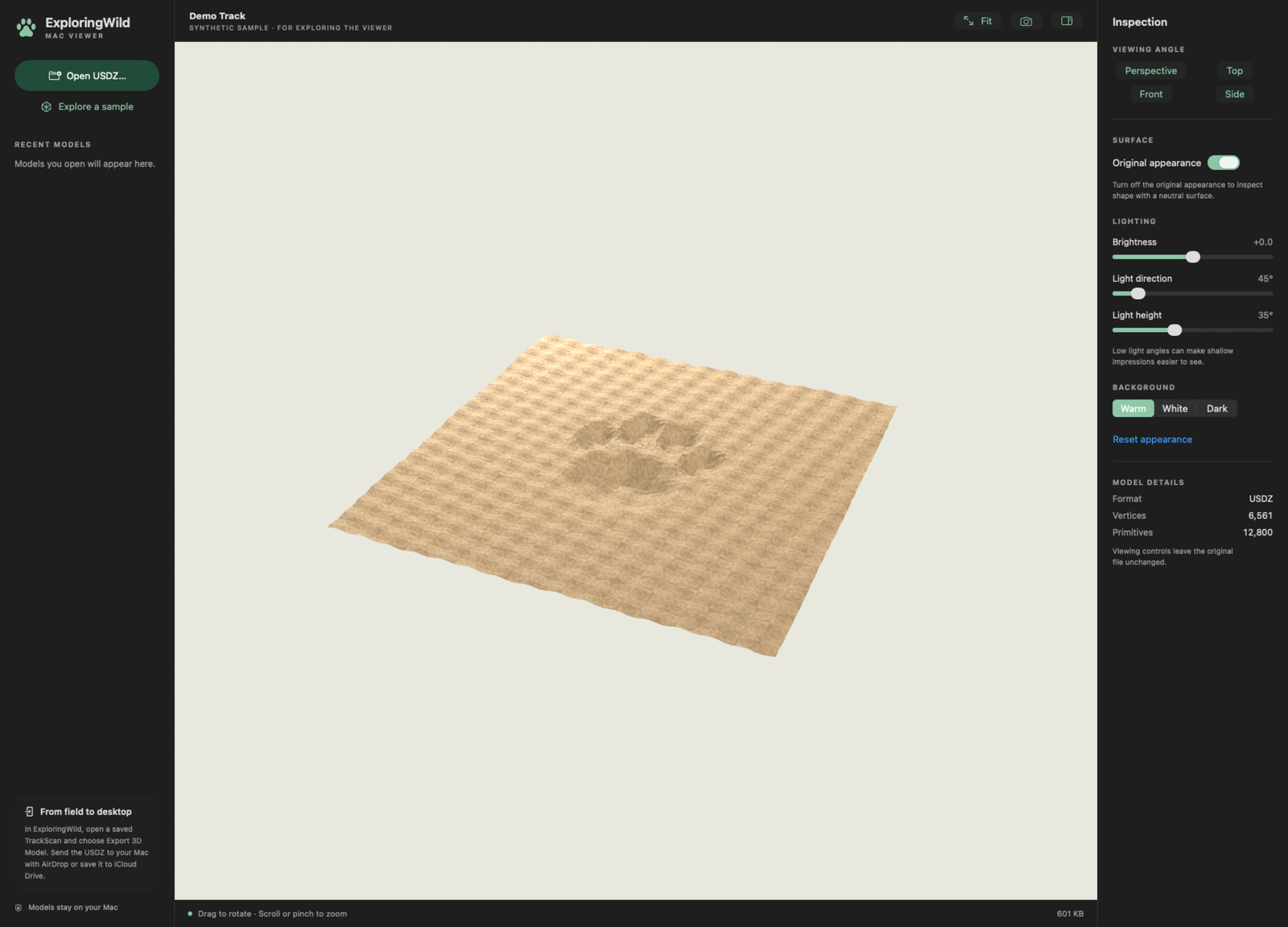
ROOM TO EXPLORE THE DETAILS
Rotate and zoom freely, or jump straight to a top, front or side view. Use the full screen when you want more room.
Adjust the brightness and light direction. Switch to a neutral surface to inspect the geometry beneath the original appearance.
Capture the current view as a PNG for your notes or to share. The original USDZ file stays unchanged.
FROM DOWNLOAD TO FIRST LOOK
The same download works on Apple silicon and Intel Macs running macOS 14 Sonoma or later.
Read the full guide →Pay $2.99 USD at checkout, then download the ZIP from your order. Open it and drag ExploringWild Viewer into Applications. Open the app from there.
In ExploringWild on iPhone, open a saved TrackScan and choose Export 3D Model. Send the USDZ with AirDrop or save it to iCloud Drive.
Choose Open USDZ or drop your file onto the viewer. Drag to rotate, scroll or pinch to zoom, and choose Fit to recenter.
No scan handy? Choose Explore a sample inside the app to try the controls. The sample is synthetic and is not an identified animal track.
Neither. ExploringWild Viewer costs $2.99 USD as a one-time purchase, with no free trial. Any applicable taxes are shown at checkout. Payment is required before you receive the download. The app works offline after installation and does not require an account or activation.
Use the download link on your completed order or in your Lemon Squeezy receipt. You can also visit My Orders and enter the email address you used at checkout. You do not need to buy it again to download your purchase.
No. The viewer works locally, with no account, analytics or network connection. Recent-file bookmarks stay on your Mac. A PNG is saved only when you choose to save one. Your purchase is handled separately by Lemon Squeezy, which collects the details needed for payment and delivery; your scans are not sent to checkout.
The viewer opens USDZ models, one at a time, and is designed for ExploringWild TrackScan exports. The bundled sample is available even if you do not have a scan yet.
This version shows the 3D model. Journal notes, scan metadata and iPhone measurement annotations are not imported. It does not measure tracks or identify animals.
Return to this page for release information. Downloads available for your purchase can be accessed through your Lemon Squeezy receipt or My Orders. Quit the viewer and replace the app in Applications with the downloaded version. Updates are installed manually.
ExploringWild for iPhone is being prepared for release. The Mac viewer is available separately now, and includes a sample you can explore. Learn about ExploringWild.
Version 1.0, build 1 · October 21, 2026. Signed by Kevin Hennessy and notarized by Apple. Requires macOS 14 or later; includes Apple silicon and Intel versions.
YOUR NEXT CLOSER LOOK